
The OKX referral code OKDCC is a recommendation code included in the signup path; merely seeing the code does not guarantee a rebate payment or a specific rate. Before signing up, check the code, regional eligibility, and displayed terms; after signing up, check the affiliate connection and assigned rate; and if you have traded, separately verify the actual eligible fees and payment records. This is an informational guide explaining how to verify these details, not an invitation to sign up, deposit, or trade.
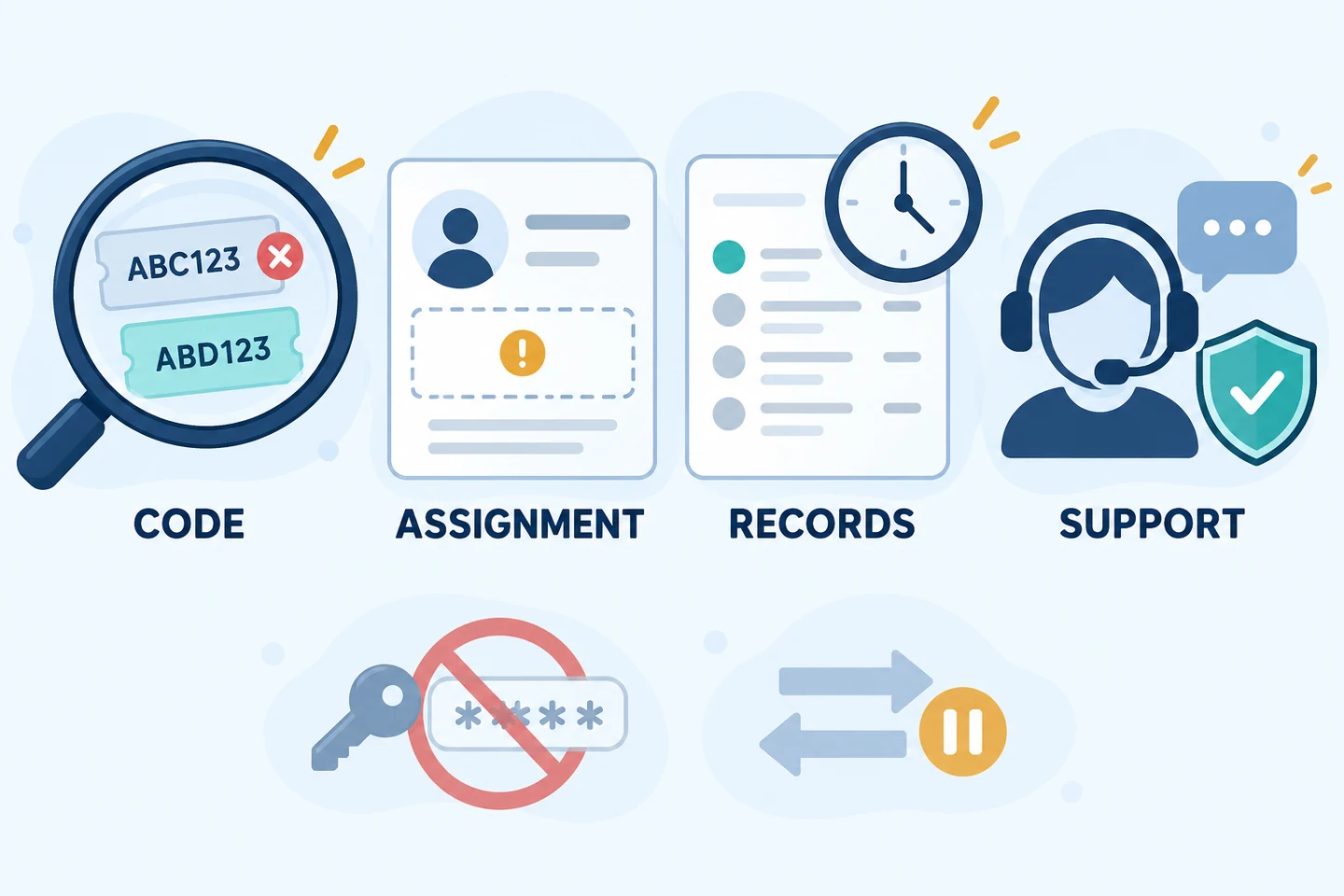
Official materials reviewed on October 23, 2026. We reviewed the affiliate FAQ, program rules, trading fee FAQ, terms, and risk disclosures. We did not independently verify the actual commission rates, duration, regional eligibility, or payment outcomes for individual OKDCC accounts. The diagrams below were created by AKEYX for explanation and are not actual OKX screens.
Affiliate disclosure: This article contains OKX partner links. If you sign up or trade through these links, the site operator may earn revenue. User benefits may vary by account, region, VIP tier, and campaign, so check the actual applicable terms on the signup screen and in My Rewards.
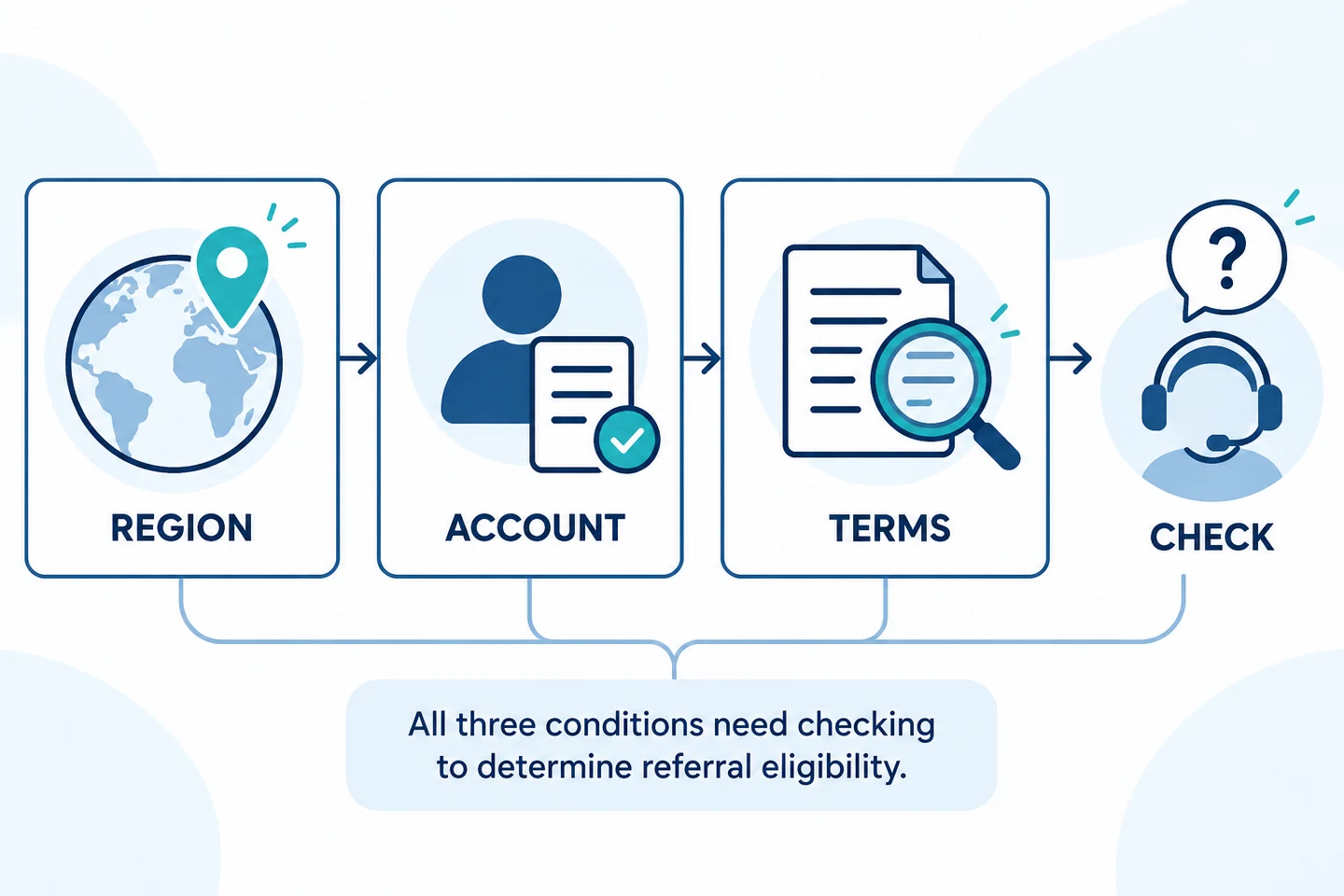
Code connection, assigned rate, account fee rate, and payment records are different
Even if a code is displayed on the signup screen, the connection may not be established or a rebate rate may not be assigned. Conversely, do not conclude that a code rebate was paid merely because the actual trading fee rate appears low. Checking the following four items separately can help you identify what remains unverified.
| What to check | Information needed to assess |
|---|---|
| Referral code/connection | The code and signup path shown on the signup screen, and whether the connection is confirmed in the account |
| Assigned rebate rate | The rate assigned to the invitee, along with applicable users, duration, and exceptions |
| Trading fee rate | The actual rate for the logged-in account by product, trading pair, and Maker/Taker |
| Payment records | Whether payment was actually made on eligible fees paid, and the payment currency and installment |
The signup process itself is covered by OKX the signup guide, while executed rates and cost calculations are covered by the guide to checking spot and futures fees. This article focuses on questions about verifying OKDCCconnection and application terms.
Steps for checking the code and signup path before registering
First, check whether account, product, and program use is permitted in your region. The OKX terms state that not all services are available in every market and that you cannot use them if you do not meet the eligibility requirements. You can distinguish possible restrictions on derivatives and P2P services related to Korea from access, KYC, and usage eligibility in the Guide to OKX use in South Korea and regional conditions. We do not provide methods for bypassing restrictions using a VPN, another identity, or duplicate accounts.
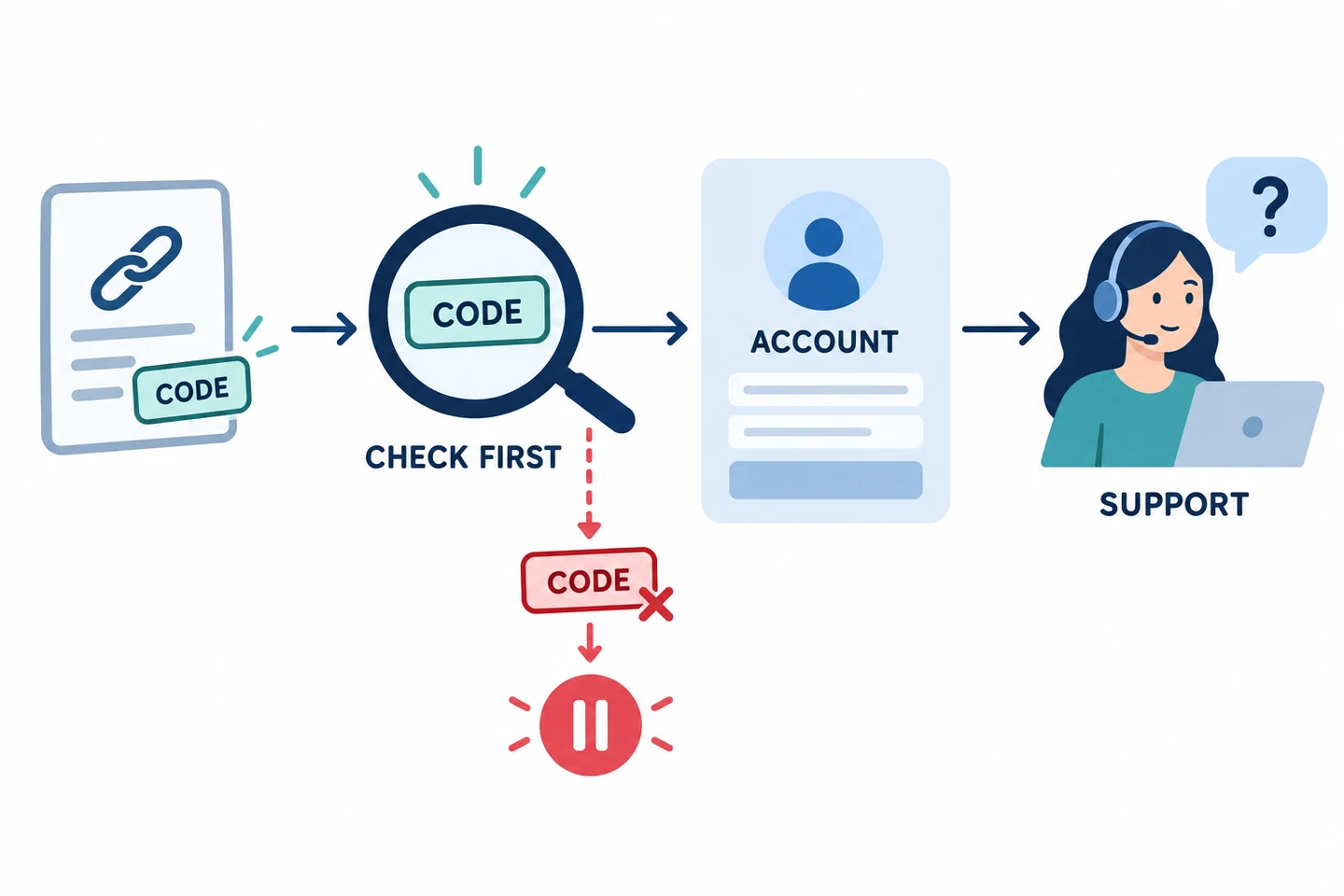
Read how OKDCC appears on the actual signup screen and check the benefit's eligible users, rate, duration, and product restrictions. If a different code is fixed in place, do not assume you can change it. The official affiliate FAQ explains that a connection may not be established if you sign up through a paid advertisement, enter the wrong code, or open an invitation link and then install the app directly before signing up, among other cases. Clicking a link and completing a connection are not the same thing.
If you decide to open an account, follow the verified official signup flow and check your security settings first after completing registration. For identity verification, refer to the KYC process and troubleshooting guide, but completing KYC does not guarantee eligibility for every product or program. You do not need to deposit or trade separately to check a code. Sources: official Affiliate FAQ and Terms of Use.
Assigned rates and payment history: check the two separately
The affiliate FAQ reviewed describes the rebate range assigned to invitees as 0%–20%. This is a general range; it does not mean that OKDCC every user receives 20%. Check the current signup screen and account for the actual rate, duration, eligible products, and exclusions. If the module is not visible, the FAQ indicates that no rate has been assigned; do not assume it will appear once you start trading.
| Purpose of check | App path in the official FAQ |
|---|---|
| Check the assigned rate | Main menu → User Center → My Rewards |
| Check payment records after trading | Menu → Campaign center → My rewards |
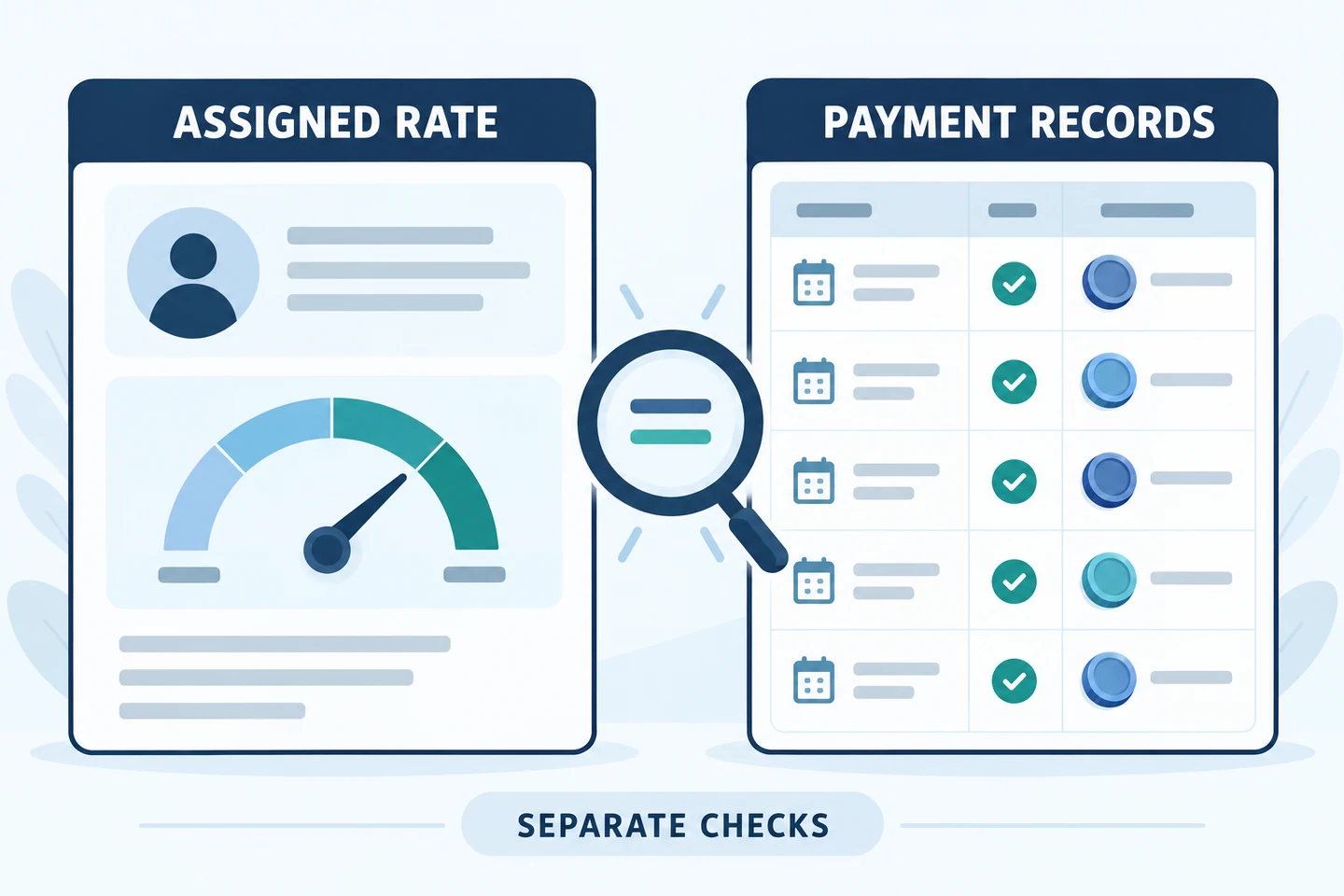
Menu names and availability may vary by app version, region, and account. If the menu shown in your account differs from the official instructions, do not draw conclusions based on a guessed path; send official support a screenshot of your current screen and your question. The affiliate operator's commission and the rebate assigned to an invitee involve different parties. Do not interpret the FAQ's guidance on the operator's payment timing as a guaranteed payment timeline for all user rebates.
Already-registered accounts: first verify through official channels for your region and account
The general affiliate FAQ restricts changing an already assigned channel and changing it by deleting and recreating an account. Meanwhile, the program guidance updated on September 29, 2026, separately describes applications from eligible existing users in certain regions and states that reconnections are subject to platform rules and eligibility, and that users should contact customer support. Therefore, we do not claim that anyone can change it or that no procedure is available in every region or for every account.
First ask whether an official procedure applies to your current account's region, existing connection, and activity status. AKEYX cannot verify approval or the applicable rate on your behalf. We do not provide methods for bypassing terms by moving assets from an existing account, deleting and signing up again, using another email or identity, transferring KYC, or deliberately remaining inactive. Nor should procedures available to some eligible users be generalized as a way for all users to change benefits. Sources: the general FAQ and the existing-user terms in the program guidance.
Rebate calculation: based on eligible fees paid, not trading volume
The bases for the trading fee rate and the assigned rebate rate are different. The executed trading fee is calculated using the actual executed amount or quantity for the product and the account rate; the rebate is calculated by applying the assigned rate to the portion of those fees actually paid that is deemed eligible. Check your account's actual rate under My trading fees/Trading fee tier while logged in, and under Fees for the relevant trading pair. Even a limit order can be Taker if it executes immediately.
AKEYX Hypothetical calculation: Assume the actual fees paid total 10 USDT and are fully eligible, the assigned rate is 10%, and payment is correctly made in the same currency. 10% = 0.10, 10 USDT × 0.10 = 1 USDT. After confirming payment, subtract it once from those fees: 10 − 1 = 9 USDT. The 10% rate is a hypothetical assumption for illustration, not the actual assigned rate for OKDCC.
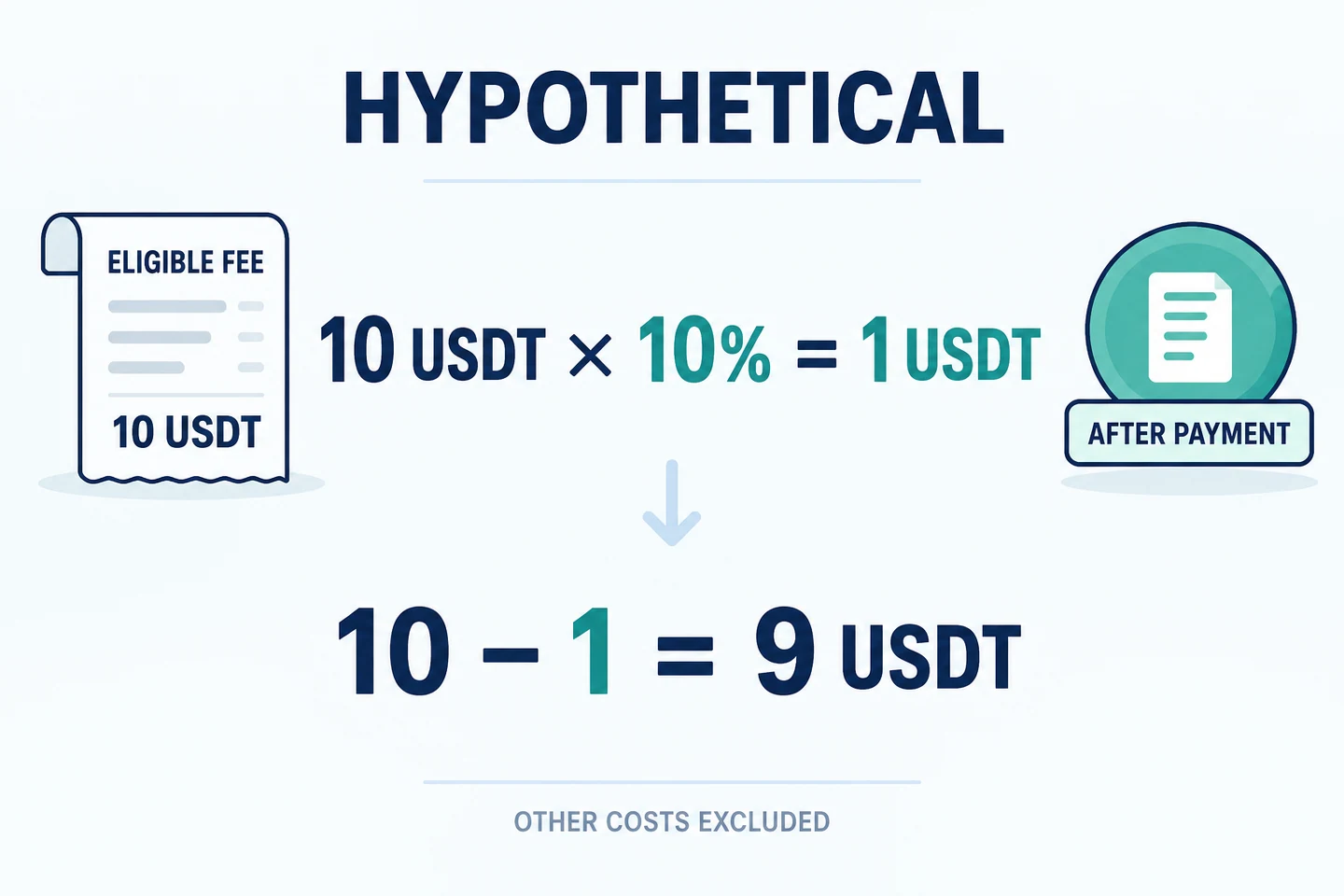
If the actual fee and payment currencies differ, do not subtract them directly; specify the comparison date and conversion basis. Fee-free trades, special rates, costs offset by coupons, rebate cards, or bonus credits, and certain VIP, regional, or account types may be subject to separate terms, such as commission exclusions or limits. Do not assume that the program rules for operator commissions are identical to individual payment rates for invitees; check eligibility and account records.
The 9 USDT above is not the total investment profit or loss. Funding fees, spreads, slippage, withdrawal and conversion costs, price gains or losses, and liquidation costs are excluded from the example. Do not calculate derivatives fees based only on margin, and do not deduct a payment again if it has already been reflected in profit or loss or in a fee item. Source: official Trading Fee Rules FAQ.
Troubleshooting when benefits are not visible
| What you observe | Safe next step |
|---|---|
| No code, or a different code is fixed in place | Check the screen and referral path before completing registration, then contact official support. Do not assume the code can be changed or applied later. |
| My Rewards module is missing | Check whether a rate was assigned. According to the FAQ, this means no rate has been assigned; do not test by depositing or trading more. |
| A rate is shown, but the payment amount differs | Compare eligible fees, exclusions/offsets, currency, and trading installments. Do not multiply total trading volume by the assigned rate. |
| Signup or referral relationship is not yet visible | For a registration or reactivation (recall) relationship not yet shown, the FAQ asks users to allow more than 3 hours before reporting the issue. This is not a guaranteed rebate payment deadline. |
| The verification path differs or eligibility is unclear | Check with official customer support which menus and procedures are available for your current account and region. |
Fee benefits do not eliminate market losses or the risk of liquidation due to leverage. Increasing trading volume to check or receive a benefit may increase total fees and the risk of loss. Do not interpret the presence of a signup screen, KYC, or a referral code as meaning that all services are permitted in South Korea. The official risk and compliance notice expressly states that derivatives-related and P2P services may be restricted in South Korea.
Frequently Asked Questions
Q. Does seeing OKDCC confirm that I will receive a rebate?
A. No. You must verify separately that the code is displayed, the referral is actually linked, the assigned rate applies to eligible trades, and there is a payment record. The official FAQ states that the range for invited users is 0%–20%, but it does not guarantee a specific rate or period for the OKDCC account.
Q. Can I check the assigned rate and payment records in the same My Rewards section?
A. The official FAQ distinguishes between the assigned rate, found under App Main menu → User Center → My Rewards, and records after trading, found under Menu → Campaign center → My rewards. Do not assume they are the same screen just because they have the same name; check each according to its purpose.
Q. Can I change the channel linked to my existing account?
A. The general FAQ restricts changing the assigned channel or deleting and recreating an account to change it. More recent program guidance provides a separate application route for existing users who meet certain regional and other requirements. Do not make blanket claims that this is possible or impossible for all accounts; check with official customer support what procedures are available for your current account and region. We do not provide instructions for circumventing the rules with another account or transferring KYC.
Q. If the My Rewards module is missing, should I trade first?
A. No. The official FAQ explains that if the module is not visible, no rebate rate has been assigned. Check the screen, code, and signup route, and contact official support. You do not need to deposit funds or increase your trading volume to verify this.
Q. Are the rebate rate and trading fee rate the same number?
A. No. The trading fee rate is applied to the executed trade amount, while the rebate rate is applied to eligible fees paid. If the fee and payment currencies differ, compare them in the same unit, and do not count costs already deducted or payments already made twice.
Q. Do fee benefits last forever or cover losses?
A. No. Check the duration, eligible users, account, region, VIP status, campaign, and latest terms. AKEYX does not guarantee lifetime applicability, payments, or investment returns. Funding fees, price losses, liquidation, and spreads involve separate risks and costs.
Official materials reviewed as of: October 23, 2026. This is general information, not investment, legal, or tax advice. It does not guarantee the applicable rate, duration, eligibility, or payment outcome for any individual account. The publication or revision dates of official documents may differ from the review date, AKEYX and the latest account and regional terms take precedence.